What a GEDCOM file is
GEDCOM is the standard format for family tree data. Ancestry, MyHeritage, FamilySearch, Gramps,
RootsMagic, Family Tree Maker, and Legacy all export one. The file ends in .ged and
holds your people, their dates and places, and how they are related.
Most programs show that data as a list or a box chart. Viewfore reads the same file and puts the places on a real map, then lets you move through the family from person to person.
One file. Five views.
Everything below is the built-in example, a fictional family of about 850 people. Load it yourself with the See an example button.
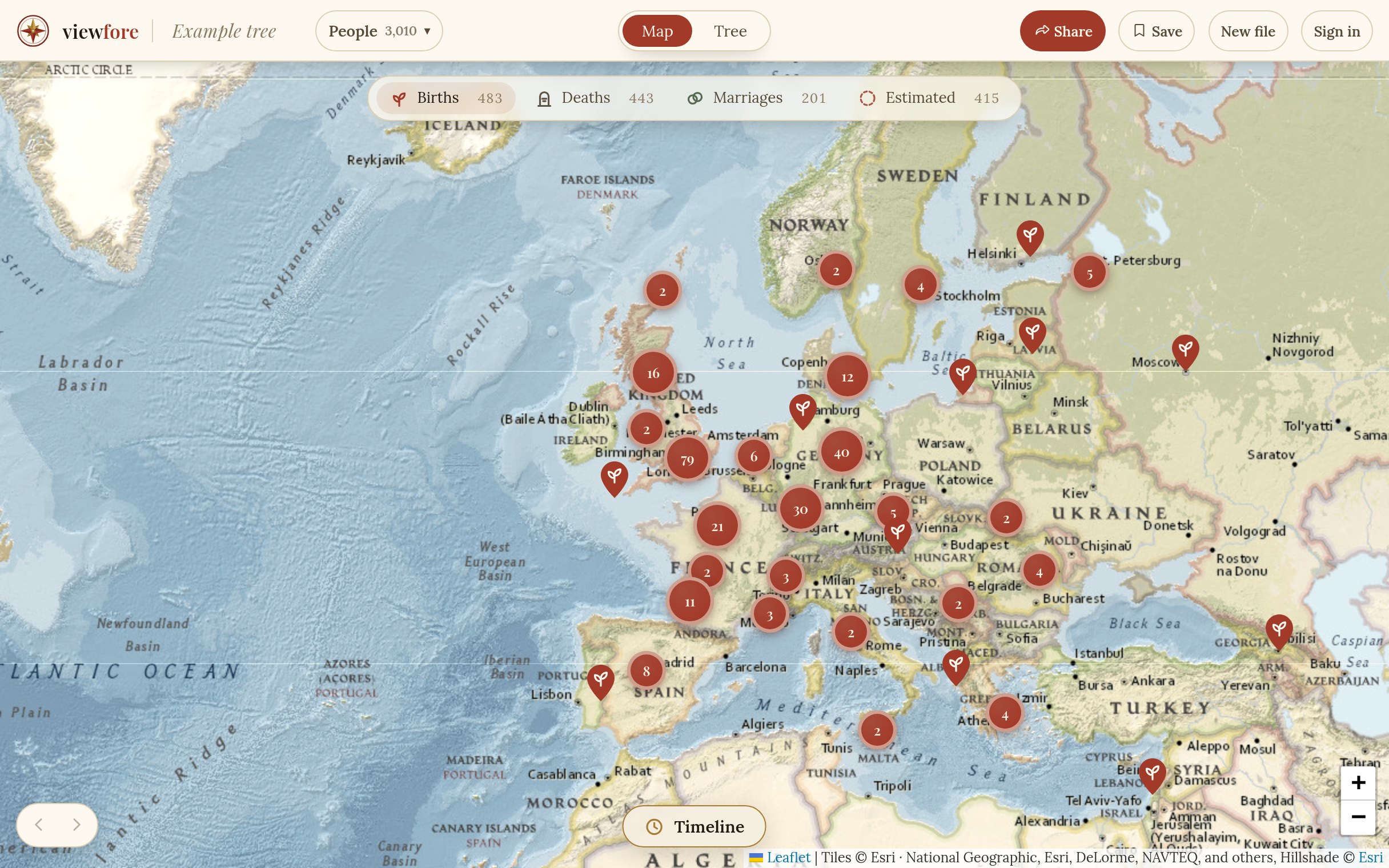
MapEvery birthplace on the map, with death and marriage places a click away. A timeline plays through the years. More about the map. 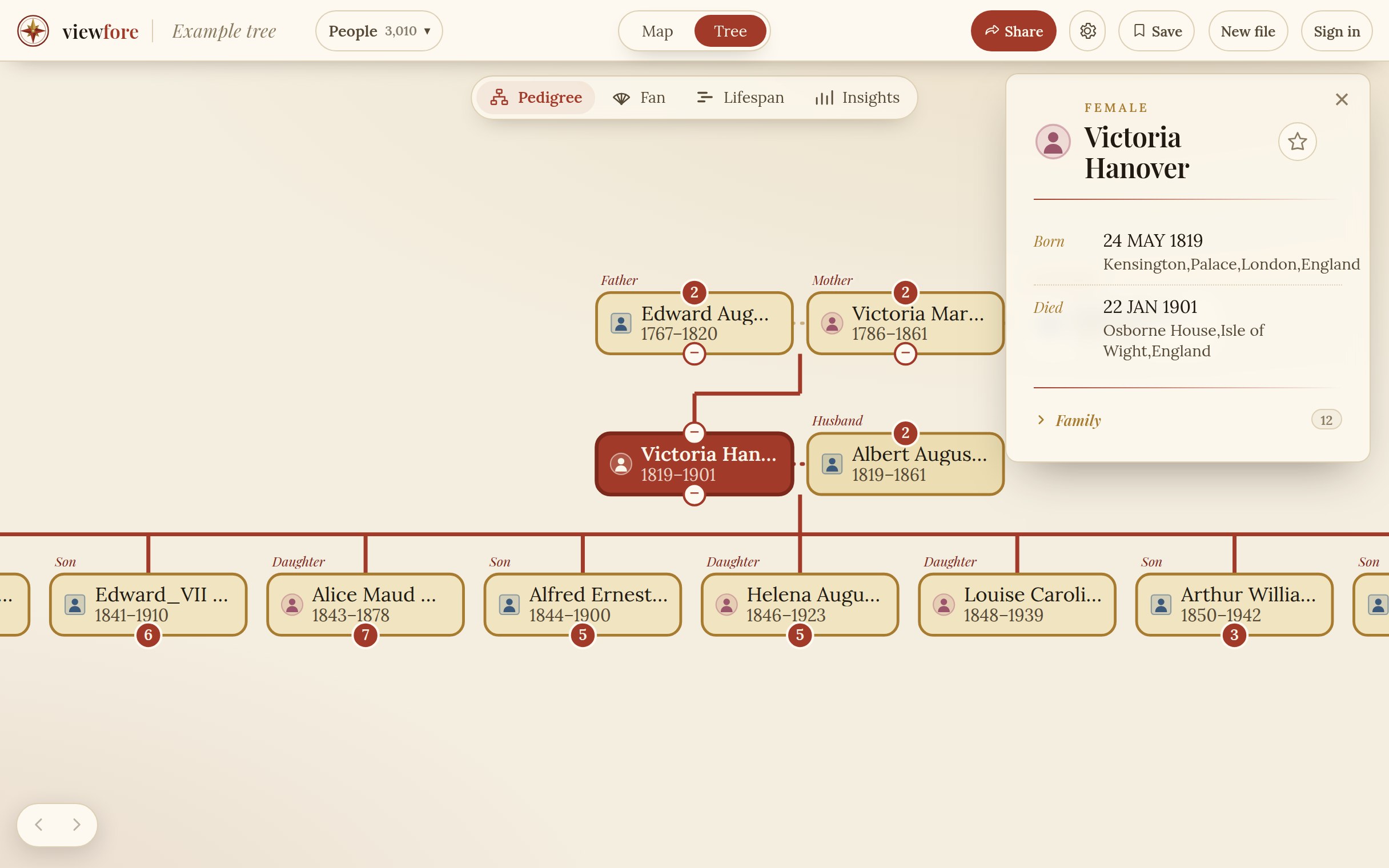
PedigreeClick anyone to centre the chart on them. Every blood relative is named, even a 7th cousin twice removed. 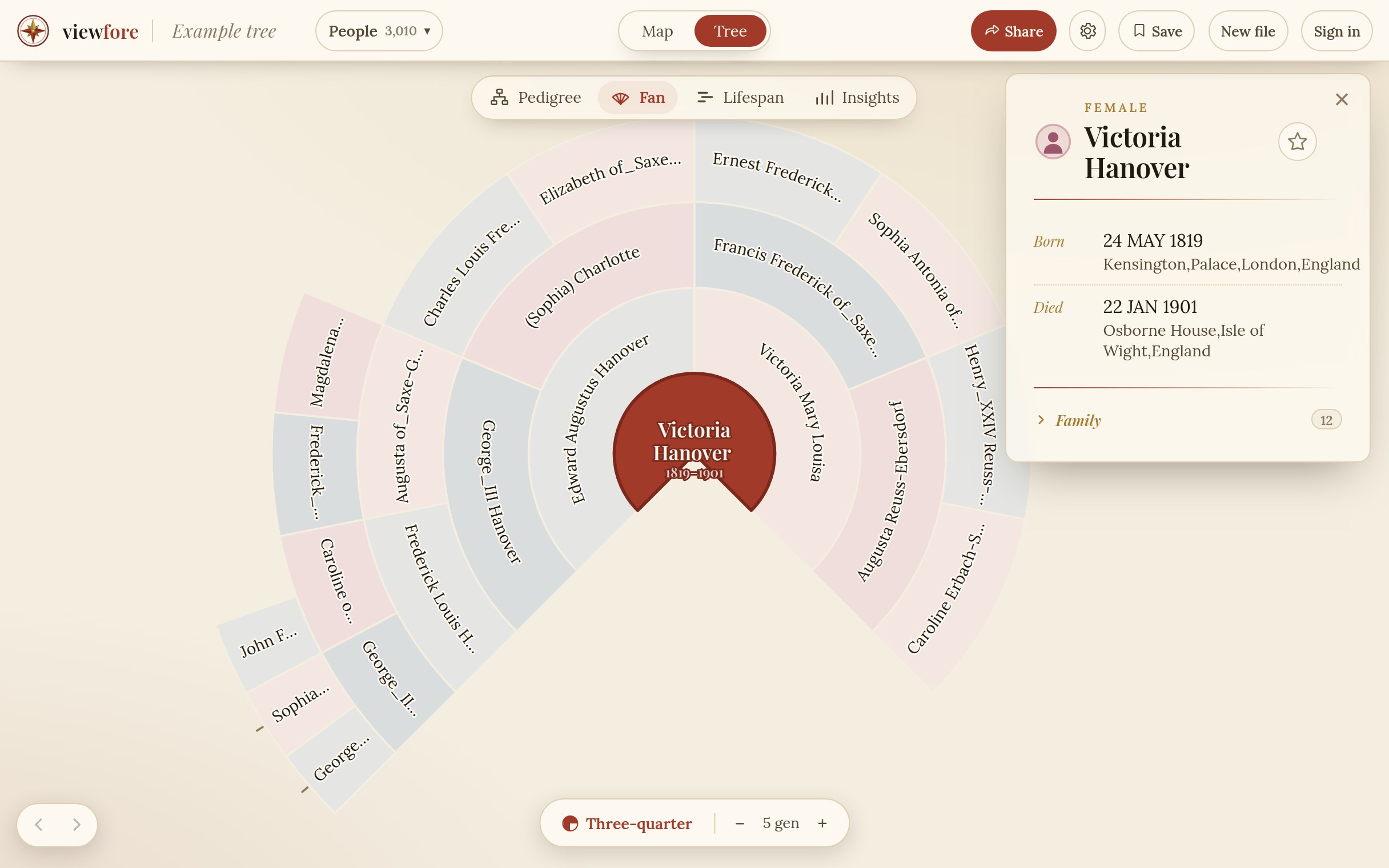
FanFive generations at once, with you in the centre. Click any ancestor to recentre the fan on them. 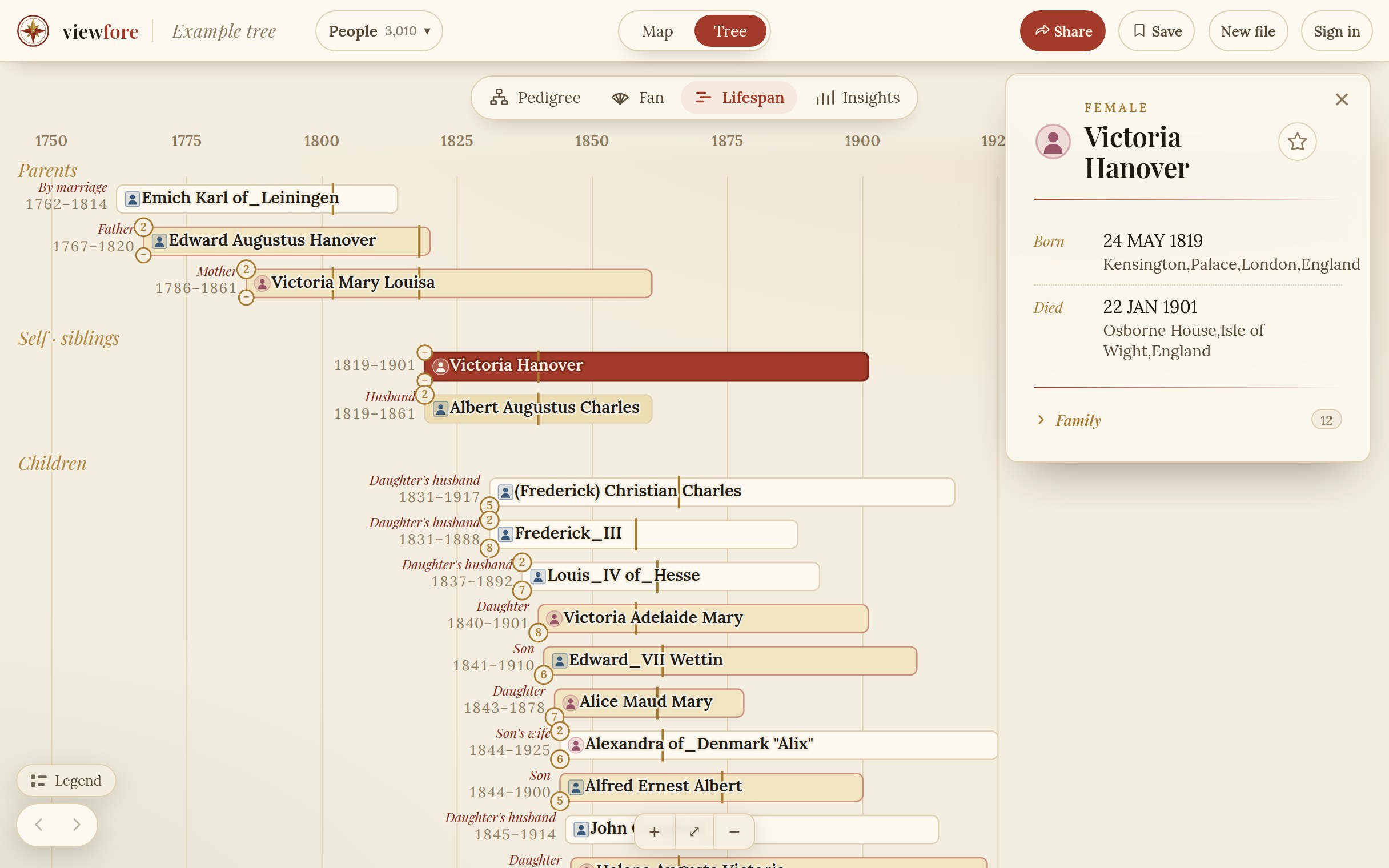
LifespanEvery life as a bar on one axis of years, grouped by generation, so you can see who lived at the same time. 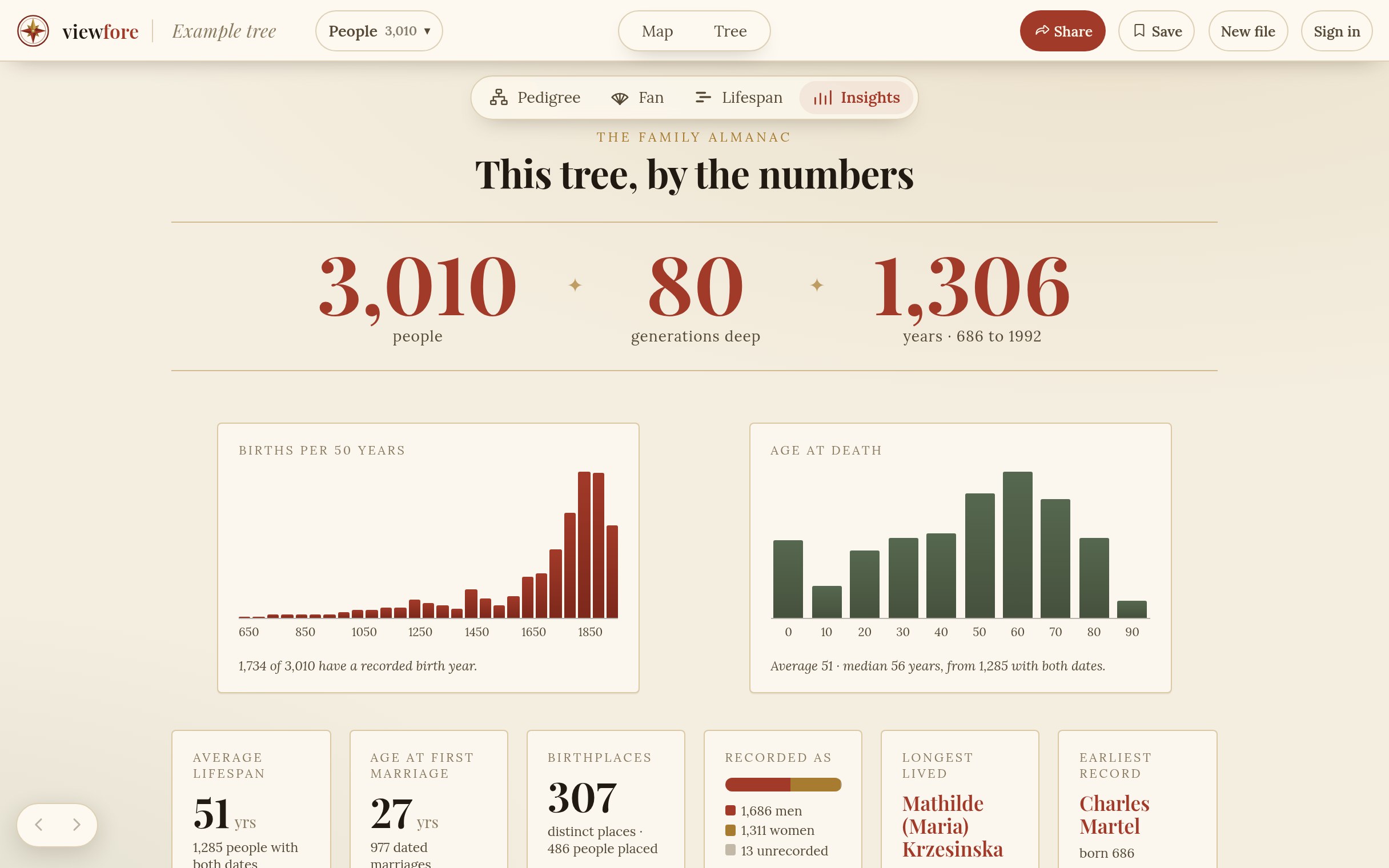
InsightsYour tree by the numbers: people, generations, years spanned, age at death, and the most common surnames and birthplaces.
Places, even when the record is thin
Every place is looked up
Birth, death, and marriage places are matched to real coordinates on our own copy of public geographic data. Your tree is never sent to an outside geocoding service.
Estimates are marked as estimates
People with no recorded birthplace get an estimated country from their family, shown as a soft, dashed marker and counted separately. A guess is never drawn as a fact.
Nothing is capped
A tree with 30 people or 20,000 loads the same way. A bad record never breaks the file. Files up to 20 MB, enough for a well-sourced tree of over 10,000 people.
Then share it
When you are ready, publish your tree as a link anyone can open, or embed it on your own website with one line of code. Viewers need no account and pay nothing. People who may still be living are hidden by default, and you can add a password.
Your file stays yours
Your GEDCOM is read once to draw your views, then discarded. We never keep a searchable database of the people in your tree. The only trees we keep are the ones you choose to save or share from your own account. Read the privacy policy.
Questions
- What is a GEDCOM file?
- GEDCOM is the standard file format for family tree data. Almost every genealogy program and website can export one. The file usually ends in .ged and holds people, dates, places, and the links between them.
- Is the GEDCOM viewer free?
- Yes. Uploading a GEDCOM and viewing your own tree on the map and charts is free, with no account. You only pay if you want to share a tree publicly by link or embed it on a website.
- How do I export a GEDCOM from Ancestry, MyHeritage, or FamilySearch?
- In Ancestry, open your tree settings and choose Export tree. In MyHeritage, open the family tree menu and choose Export to GEDCOM. Desktop programs such as Gramps, RootsMagic, Family Tree Maker, and Legacy have an Export command in the File menu.
- Is my family data stored?
- No. Your file is read once to draw your views, then discarded. We never keep a searchable database of the people in your tree. The only trees kept are the ones you choose to save or share from your own account.
- Does it work on a phone or tablet?
- Yes. The map and every chart pan and pinch to zoom on touch screens.
See your tree on the map.
Upload a GEDCOM, or load the example first.
Upload a GEDCOM