How it works
Upload your GEDCOM
Export a .ged file from Ancestry, MyHeritage, FamilySearch, or any desktop program and drop it on Viewfore. Your tree appears on the map and charts.
Choose what visitors see
People who may still be living are replaced with “Living” and their dates and places hidden. That is on by default. Add a password if you want only family to open it.
Send the link, or embed it
Copy a link for email, a group chat, or a family newsletter. Or embed it on your own website with one line of code, or a plain iframe for sites that do not allow scripts.
Easy for the whole family
The people you most want to reach are often the least interested in signing up for anything. An aunt who only uses her phone for photos. A cousin who has never heard of a GEDCOM file. That is who this is for.
They tap the link. The tree opens. No account, no app, no password unless you set one. They can find their own name, see where their grandparents were born, and follow the family across the map. It asks almost nothing of them, which is exactly why they will look.
That small step is often how a family gets interested in its own history. The person who did the research finally has something to show for it that everyone can open.
What your family sees
These are real screenshots of a shared tree, exactly as a visitor sees it: the tree's name, a note that living people are hidden, and a small Viewfore credit. No sign-in, no upload button, nothing to set up.
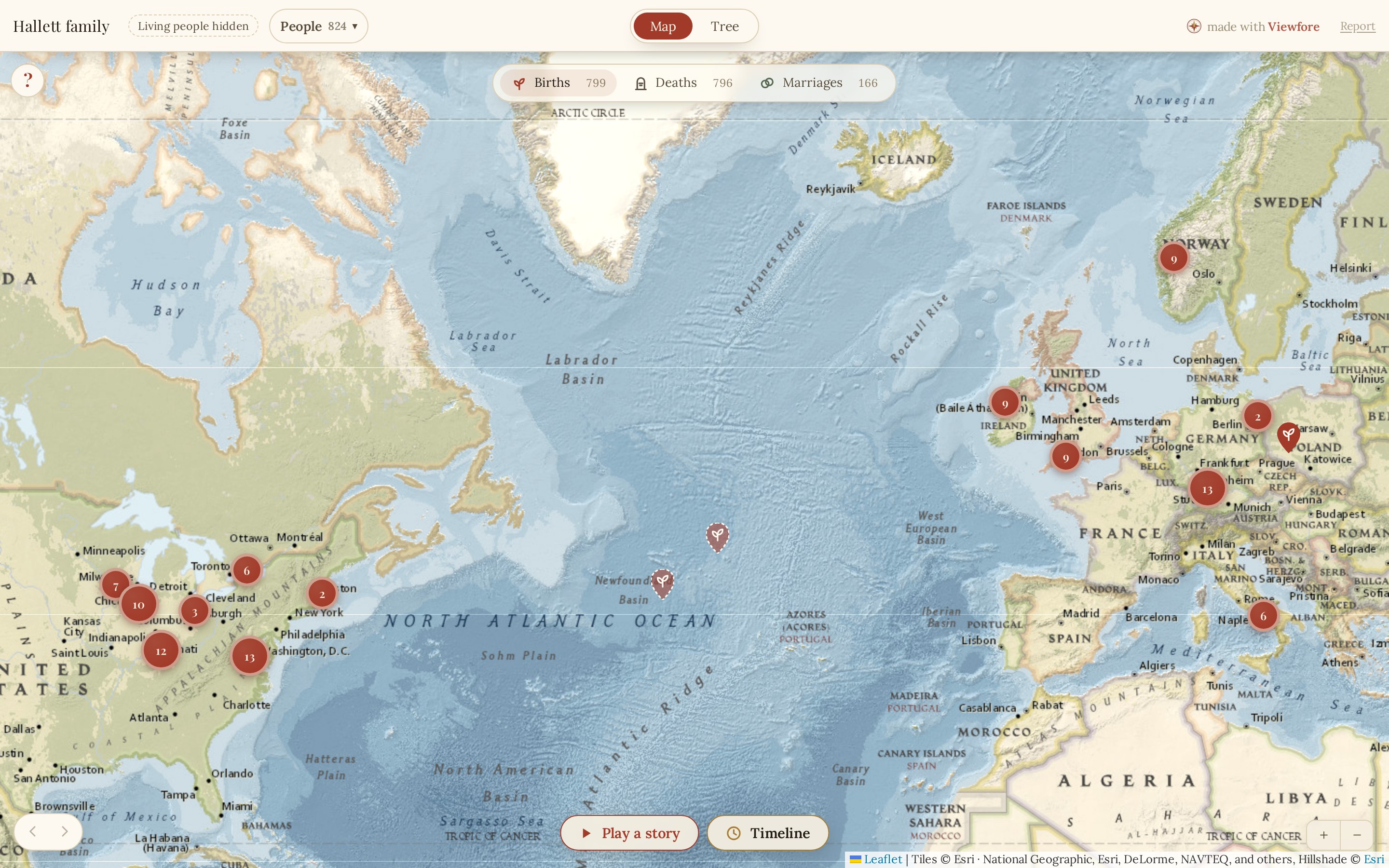
The mapEvery birthplace, with death and marriage places a click away, and a timeline that plays through the years. 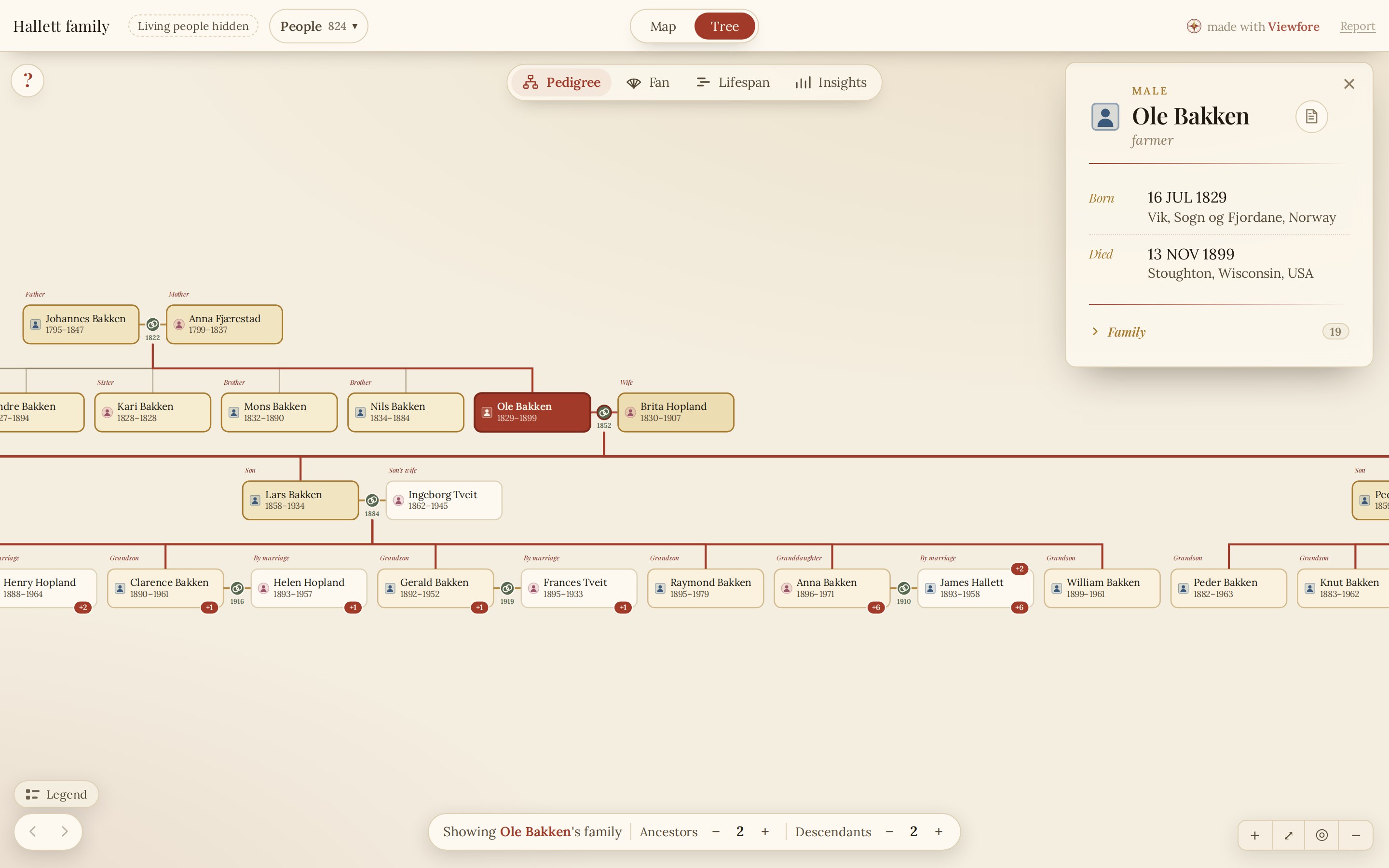
The chartsPedigree, fan, lifespan, and insights. Click any person to see who they were and how they relate. 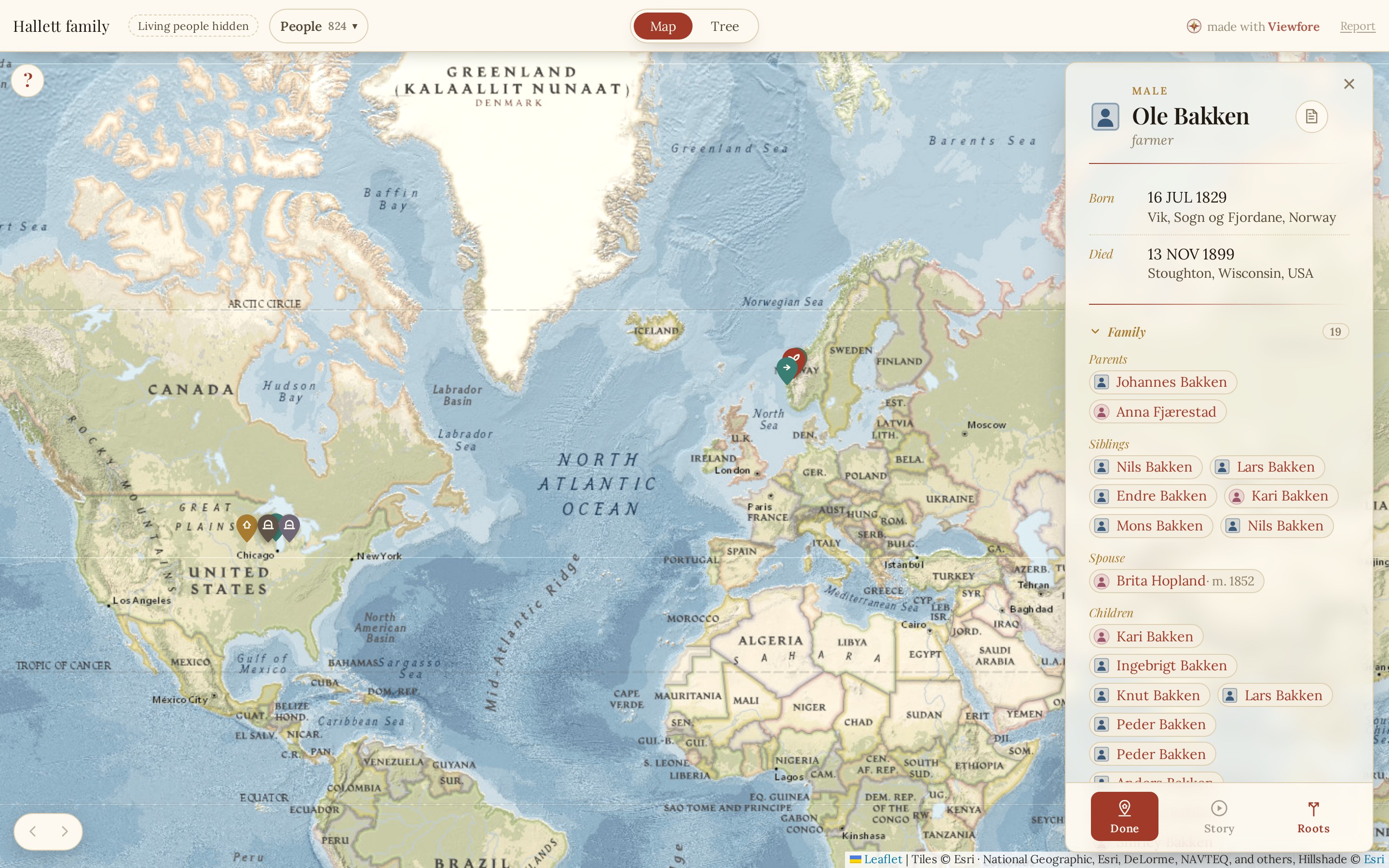
Each lifeOne person's birth, marriage, death, and other recorded places on the map, in one view.
Send a link, or embed it
Share a link
Every share gets its own address. Paste it into an email, a group chat, or a family newsletter. Whoever opens it sees the tree right away, on a phone or a computer, with nothing to install and no account to make.
viewfore.com/?share=hu5IZZN7lc-S Open →The link to our example tree. Open it to see what your family would see. Your own link is shown the moment you publish.
Add a password if you want only family to open it. Turn the share off from your account whenever you like, and the link stops working right away.
Embed it on your site
Paste one line of code and the whole tree appears on your own page, map and all. It fits the width of your page, works on phones, and has an Expand button for a near-fullscreen view.
<script src="https://viewfore.com/embed.js" data-tree="hu5IZZN7lc-S" async></script>
This exact line puts the tree below on this page. It is the Hallett family, a fictional family we built for the example, with living people hidden as on every new share. Your own line, with your tree's id filled in, is ready to copy when you publish.
<iframe src="https://viewfore.com/?share=hu5IZZN7lc-S&embed=1" width="100%" height="560" style="border:0" loading="lazy" allowfullscreen title="Family tree"></iframe>
Both versions are shown side by side in the share panel. Use whichever your site accepts.
You stay in control
Living people hidden
Anyone likely to be alive is shown as “Living” with no dates or places. You can turn this off for a share meant only for close family.
Password if you want one
Set a password and visitors must enter it before the tree loads.
Switch it off any time
Pause or delete a share from your account. The link stops working right away. Your tree is never in a searchable database.
Free to view. Pay only to share.
Viewing your own tree is free forever. Sharing costs $10 for 30 days for one tree, or $39 a year to keep every tree you share live and embeddable. The people you share with never pay and never sign in.
Put your tree in front of your family.
Upload a GEDCOM to get started. Sharing takes one click once it loads.
Upload a GEDCOM